You build one statement. StatementsReady turns it into 3 PDF layouts, SBA Form 413, the Chase form, and editable Word and Excel copies. The numbers match in every one.
All 3 read from the same statement, so the totals match whichever one you send.
StandardAll plans
For the lender who just said “send us a PFS.”
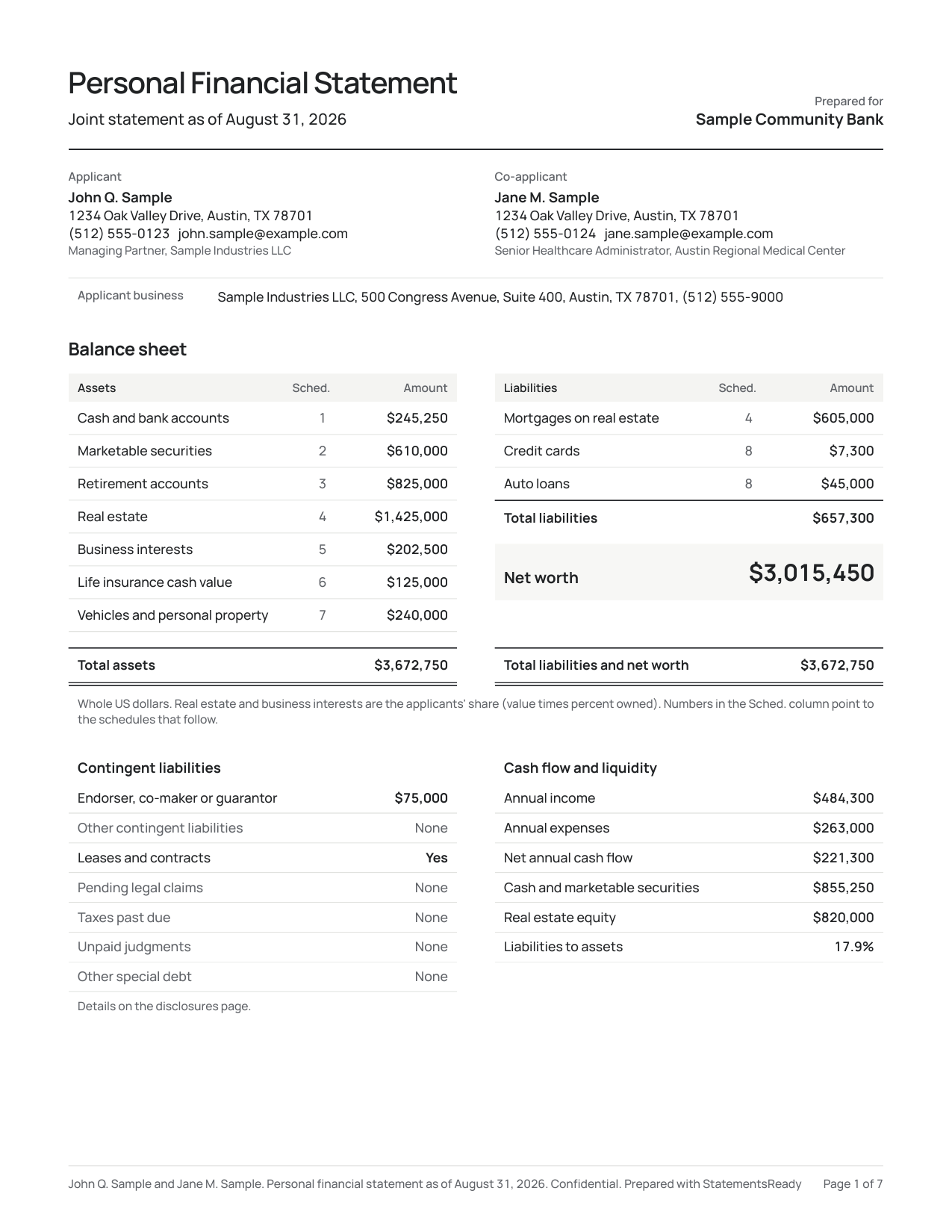
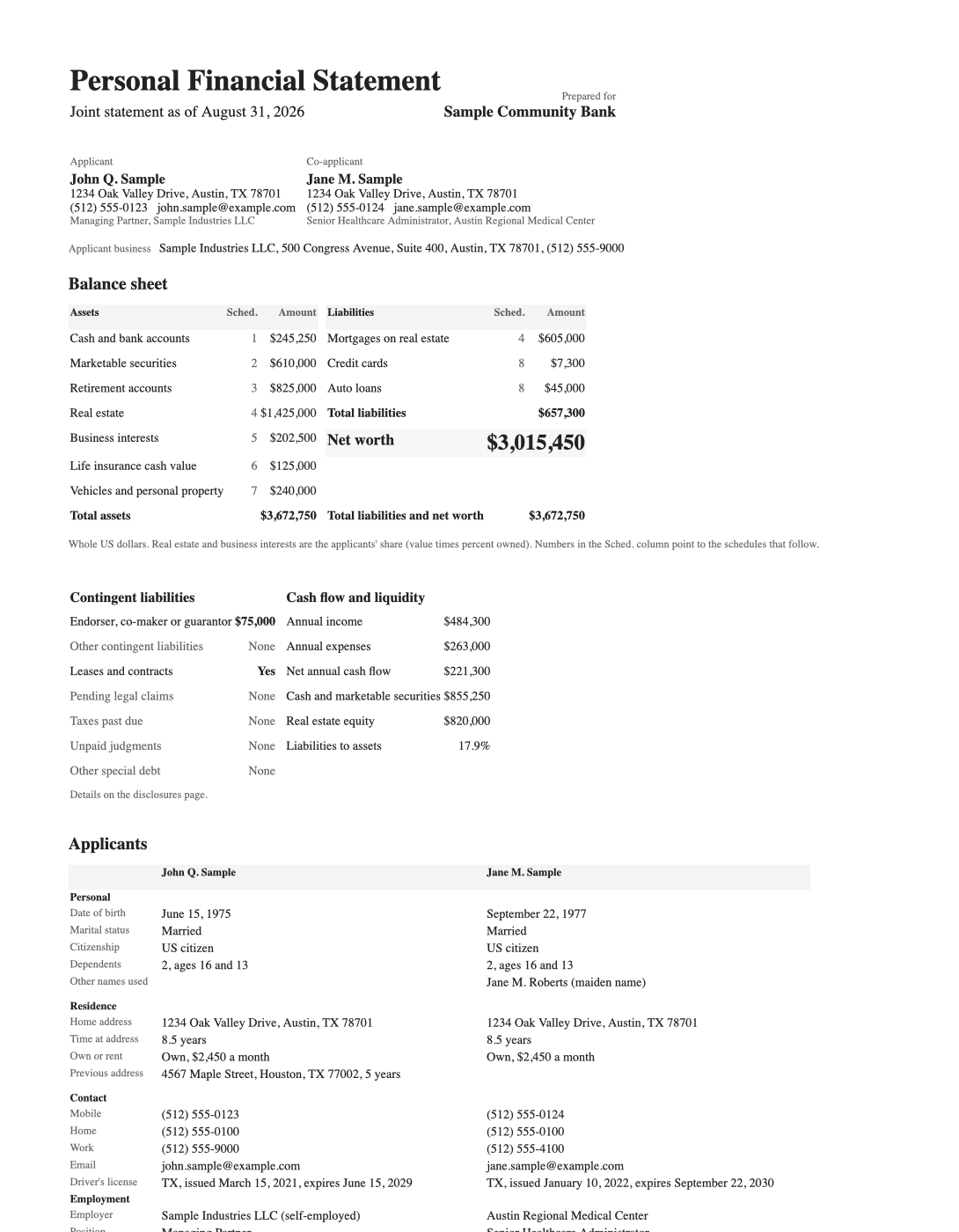
Clean and modern. The balance sheet sits on page 1, then a numbered schedule for each section you filled in. Every detail you entered makes it onto the page.
Schedules run 1, 2, 3 with no gaps, so no one asks where page 4 went.
Signature lines for you and for a co-applicant or guarantor.
The Word copy uses this layout, so an edited version still matches.
Use it when: A lender asks for “a personal financial statement” with no form attached.
ProfessionalAll plans
Reads like a report an underwriter can follow.
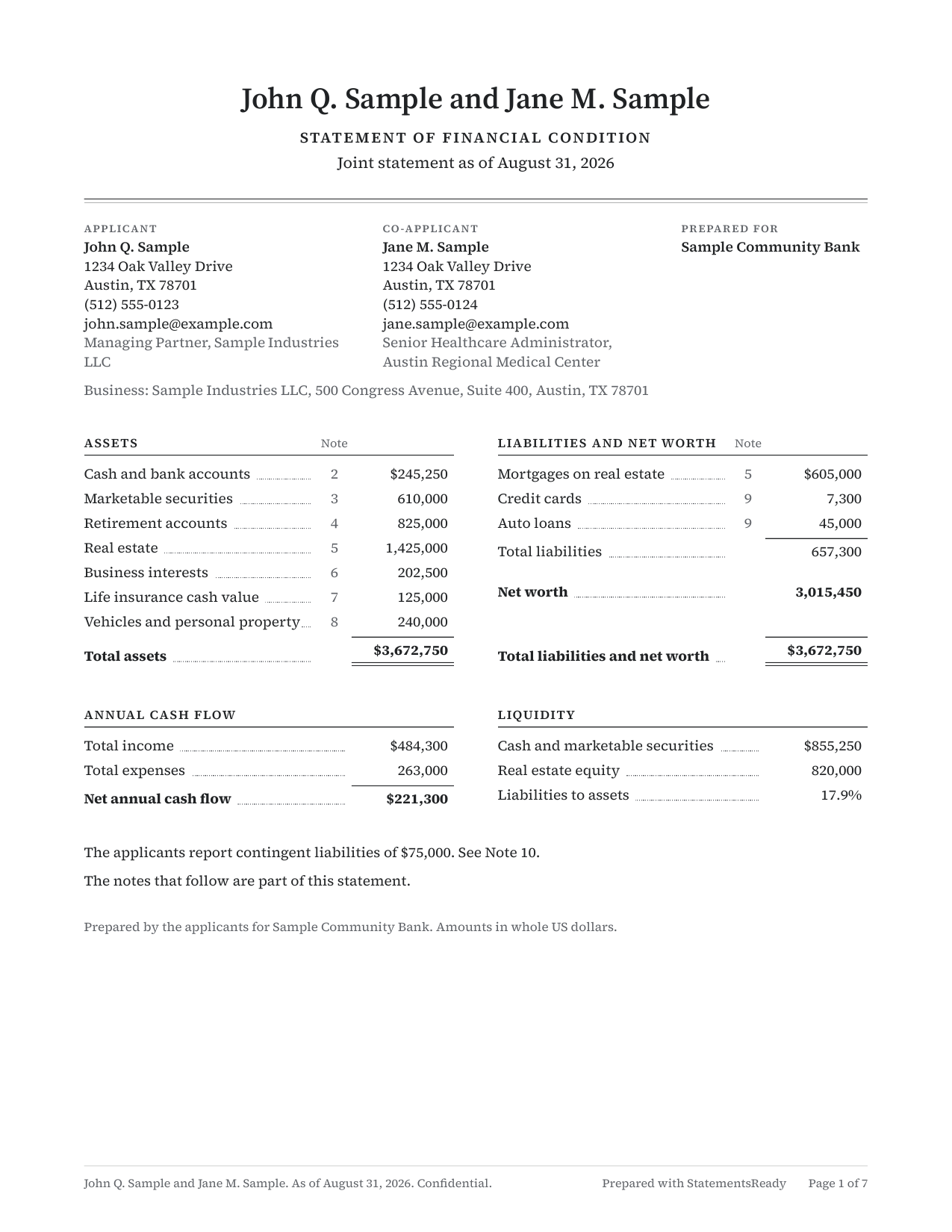
A formal statement of financial condition in a serif font. Each line carries a note number, and the notes that explain your figures follow the balance sheet.
Notes answer “where did this number come from?” before the underwriter calls.
Annual cash flow and liquidity sit on page 1.
Same totals as the Standard and Traditional layouts.
Use it when: You want it to read like a formal report, with notes an underwriter can follow.
TraditionalAll plans
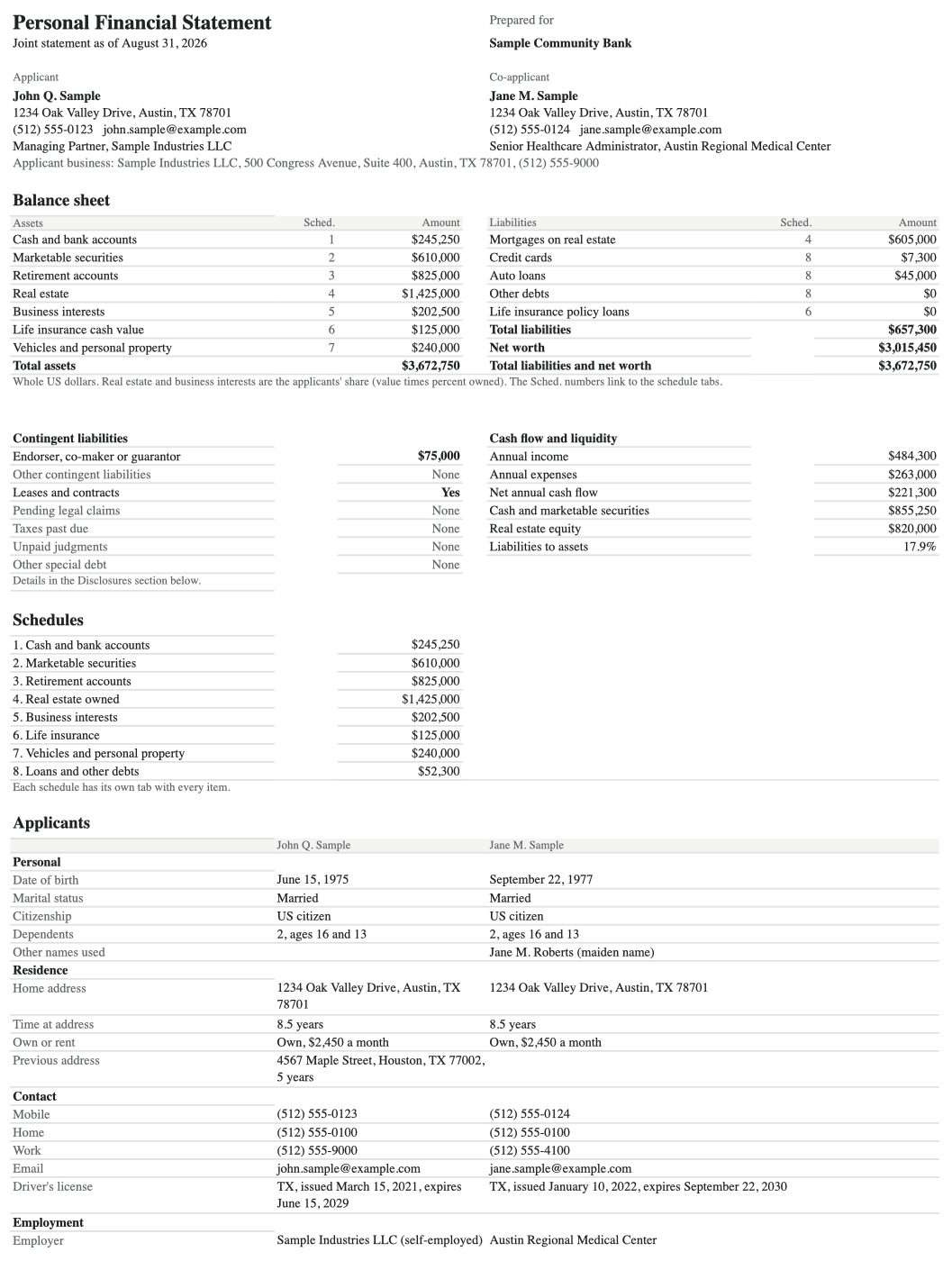
The classic bank form, with the whole picture on page 1.
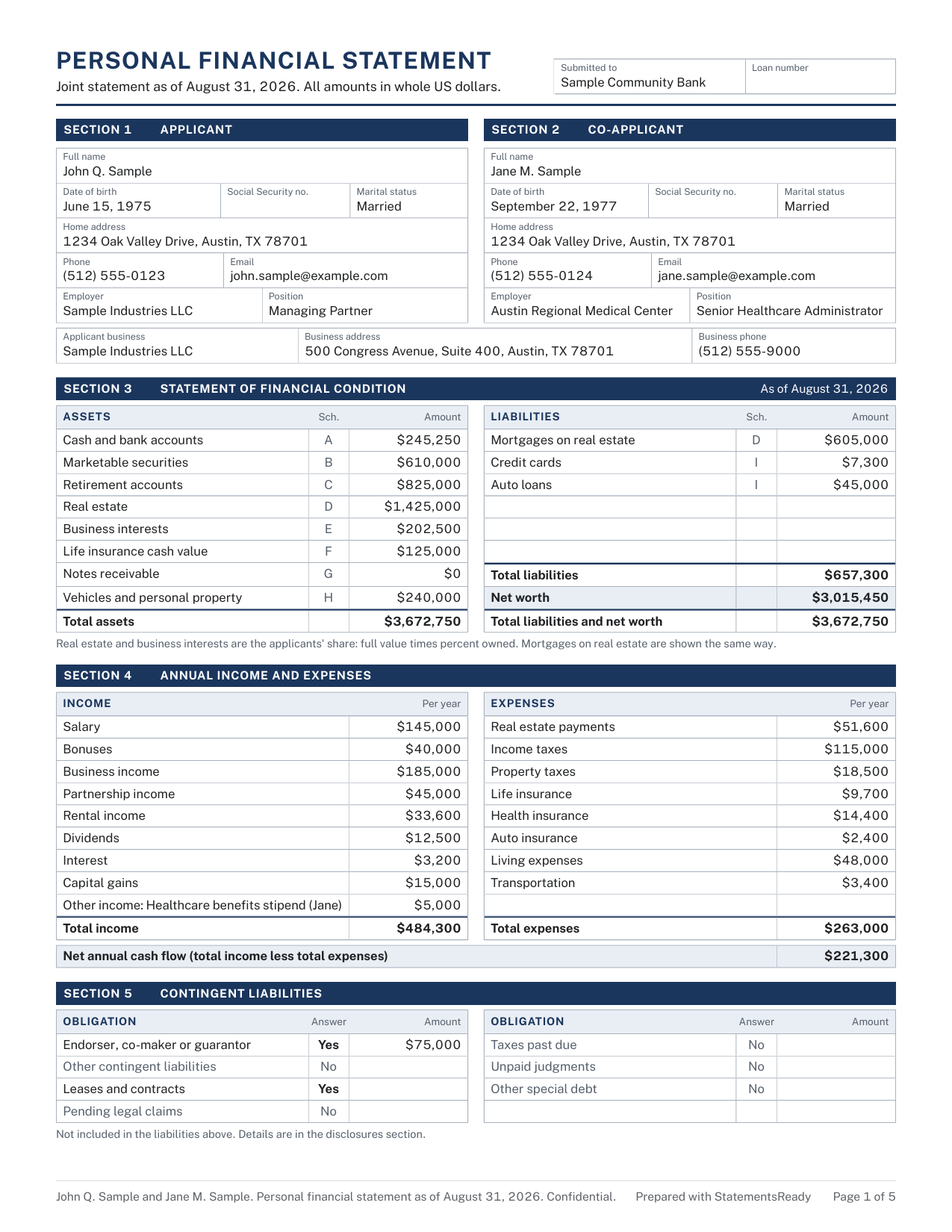
Applicants, assets and liabilities, income and expenses, and contingent liabilities all fit on the first page. The detail sits behind it in lettered schedules A to I.
A loan officer reads your whole position without turning a page.
Each line points to its schedule letter.
Signature lines for you and for a co-applicant or guarantor.
Use it when: The lender expects the classic bank-form look, with the full picture on page 1.
The form they handed you, filled in.
When the lender names a form, your figures go straight onto it.
SBA Form 413Paid plans
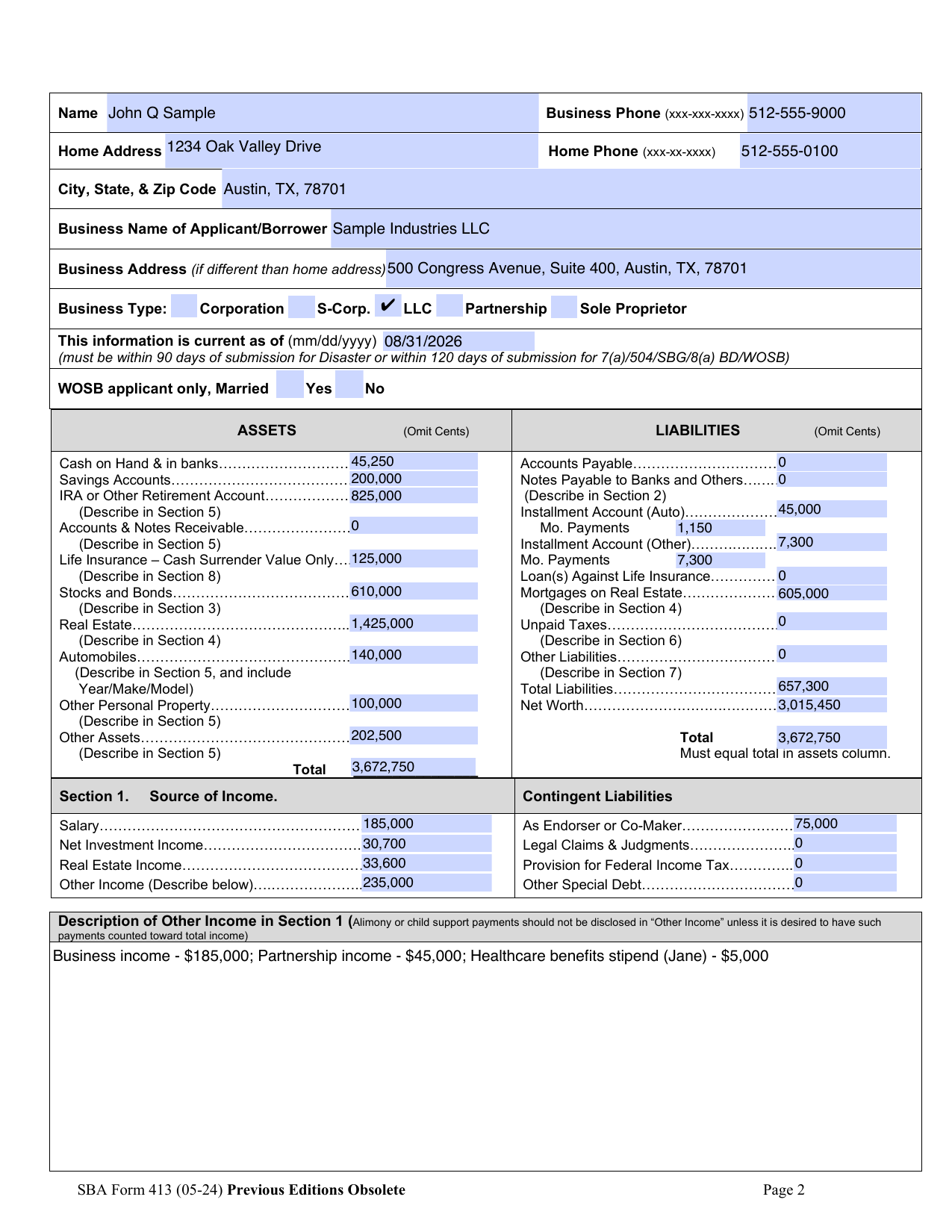
SBA Form 413, filled in from your statement.
The SBA’s own form for 7(a), 504, disaster and other SBA loans. Pick the loan program and your figures land in the right boxes.
Extra properties, notes and securities go on labeled attachment pages in the same PDF.
Business type and contingent liabilities are filled in too.
Keeps the SBA’s own signature and date lines.
Use it when: SBA 7(a), 504, and disaster loans. Filled from your statement, schedules included.
Chase PFS formPaid plans
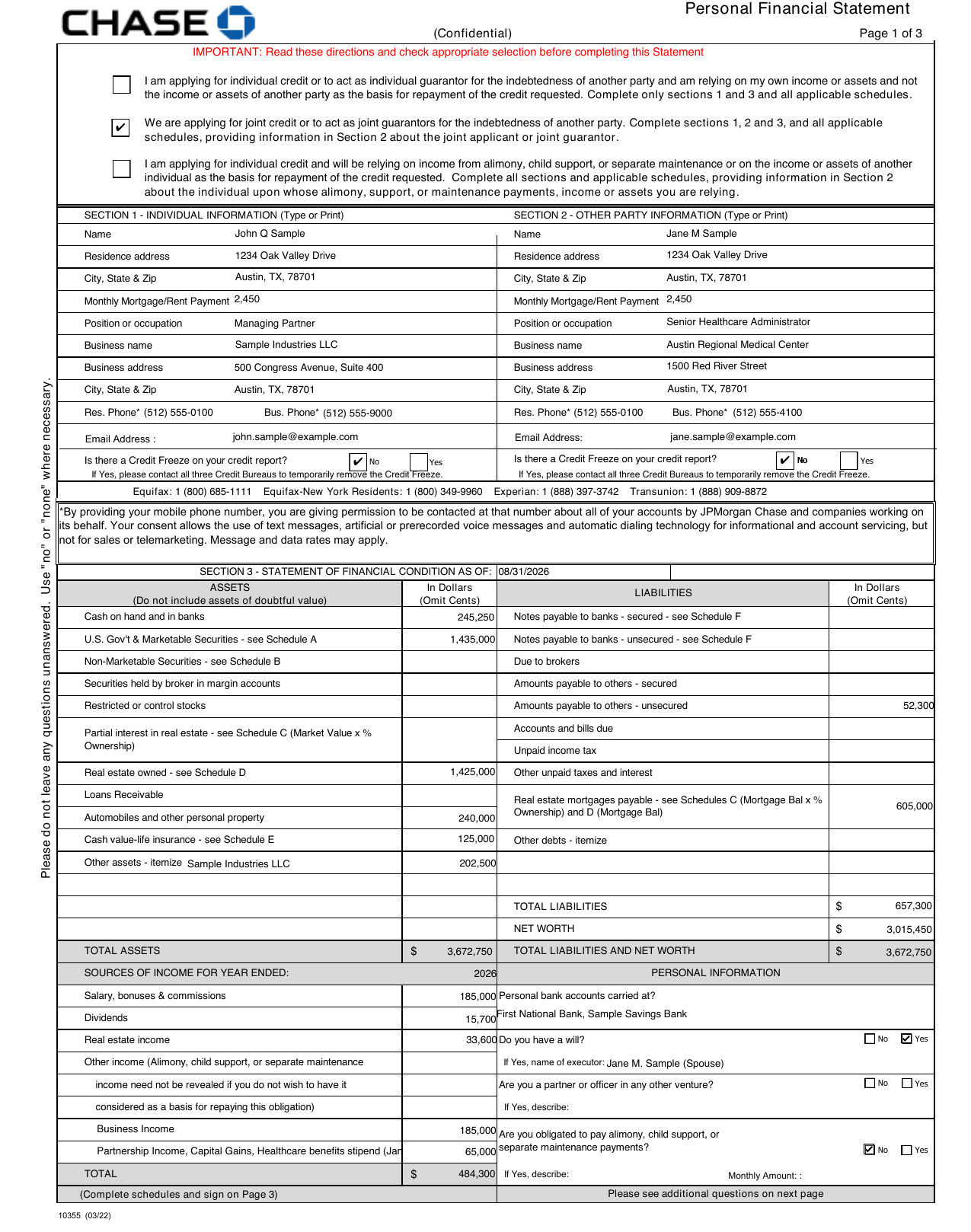
Chase’s own form, filled in for you.
Chase asks borrowers for its own Personal Financial Statement. StatementsReady fills it in from the statement you already built.
Your figures move onto Chase’s form without retyping.
Anything that doesn’t fit on the form goes on attachment pages.
Keeps the form’s own signature block.
Use it when: Chase asks for its own personal financial statement form.
Copies you can edit.
Download the statement as a Word document or an Excel workbook and change it yourself.
Word copy (.docx)Paid plans
Need to change a word? Open it in Word.
An editable copy laid out like the Standard PDF, with the same sections, tables and totals.
Add a note or reword a line for one lender.
Opens cleanly in Microsoft Word.
Edits live in the file. Your statement in StatementsReady stays as you left it.
Use it when: You or the lender want to edit the text. Matches the Standard PDF.
Excel copy (.xlsx)Paid plans
The Excel copy does its own math.
The first tab reads like the finished statement. Each schedule gets a tab of its own: cash, securities, retirement, real estate, business interests, life insurance, notes receivable, personal property and debts.
Change a balance and the schedule total, balance sheet and net worth all update.
Amounts are real numbers, so a banker can sort and filter each schedule.
Prints on letter paper with the same confidential footer as the PDF.
Use it when: Your banker wants to sort and filter the schedules. Every total is a live formula.
Pictures show the first filled-in page of each format, made from a sample statement. Chase is a trademark of JPMorgan Chase & Co., and Word and Excel are trademarks of Microsoft. StatementsReady isn't affiliated with or endorsed by either company.
No. Every paid plan downloads the Word and Excel copies as often as you like. Pro and Pro Plus also export unlimited PDFs in any format, and Single includes 1 PDF. The numbers match in every one.
What can I export on the free trial?
One watermarked PDF in any of the 3 layouts. SBA Form 413, the Chase form, and the Word and Excel copies come with Single, Pro, and Pro Plus.
If I edit the Word or Excel file, does StatementsReady update?
No. Edits stay in the file you downloaded. Change a figure in StatementsReady and download a fresh copy to keep everything in step.
Is the Professional layout prepared by an accountant?
No. You prepare it yourself, and the Professional PDF says so on the page. The layout is a formal report with numbered notes.