
12,000+ institutions
Checking, savings, money market, CDs, brokerage, and retirement accounts at 12,000+ banks, credit unions, brokerages, and other financial institutions.
StatementsReady is personal financial statement software for borrowers. Connect your banks for read-only balances, enter what banks cannot see, and export the PDF, SBA Form 413, Word, or Excel file your lender asked for. About 8 minutes the first time.
7 days freeNo credit card required
Connect through Plaid and every synced balance on the statement refreshes with one click. Your bank login never touches our servers.
Checking, savings, money market, CDs, brokerage, and retirement accounts at 12,000+ banks, credit unions, brokerages, and other financial institutions.
Credit cards, mortgages, auto loans, and lines of credit pull their current balances, so the net worth line is right without digging through statements.
One button refreshes every connected account. When a lender wants updated numbers next month, click it and export again.
Plaid hands us balances and account names, nothing more. We cannot move money, and you can disconnect any account whenever you like.
Smart Import reads a PDF, spreadsheet, Word file, or photo and adds what it finds to your statement. You check every item before anything is saved.
Upload a schedule of real estate owned, a rent roll, or your own property spreadsheet. Each property comes in with its mortgage, second mortgage, HELOC, rent, taxes, insurance, ownership share, and title holder.
A unit-by-unit rent roll becomes one monthly rent for each property. Annual rent and annual debt service come in as monthly figures, the way the statement keeps them.
Upload a brokerage statement, a loan statement, or last year's PFS. Bank accounts, investments, retirement plans, vehicles, insurance, and debts each land in their own section.
Each item shows how sure the read is. Edit a value or untick a row. You get a warning when the items miss the file's own total, or when a property is already on the statement.
Bank sync covers the cash. The rest you enter once, and the statement totals it for you.
Each property carries its own mortgage, payment, and equity, and the schedule totals across all of them. Built for people with 1 rental or 20.
Add a co-applicant and both of you appear where the form asks, with one set of totals.
Upload last year's statement and Smart Import sorts every account, property, and debt on it into this one. The free trial includes 3 imports a day.
Every edit saves as you type. Each section shows how complete it is, so you can stop and come back.
One statement, exported as many ways as you need. Preview before you download.
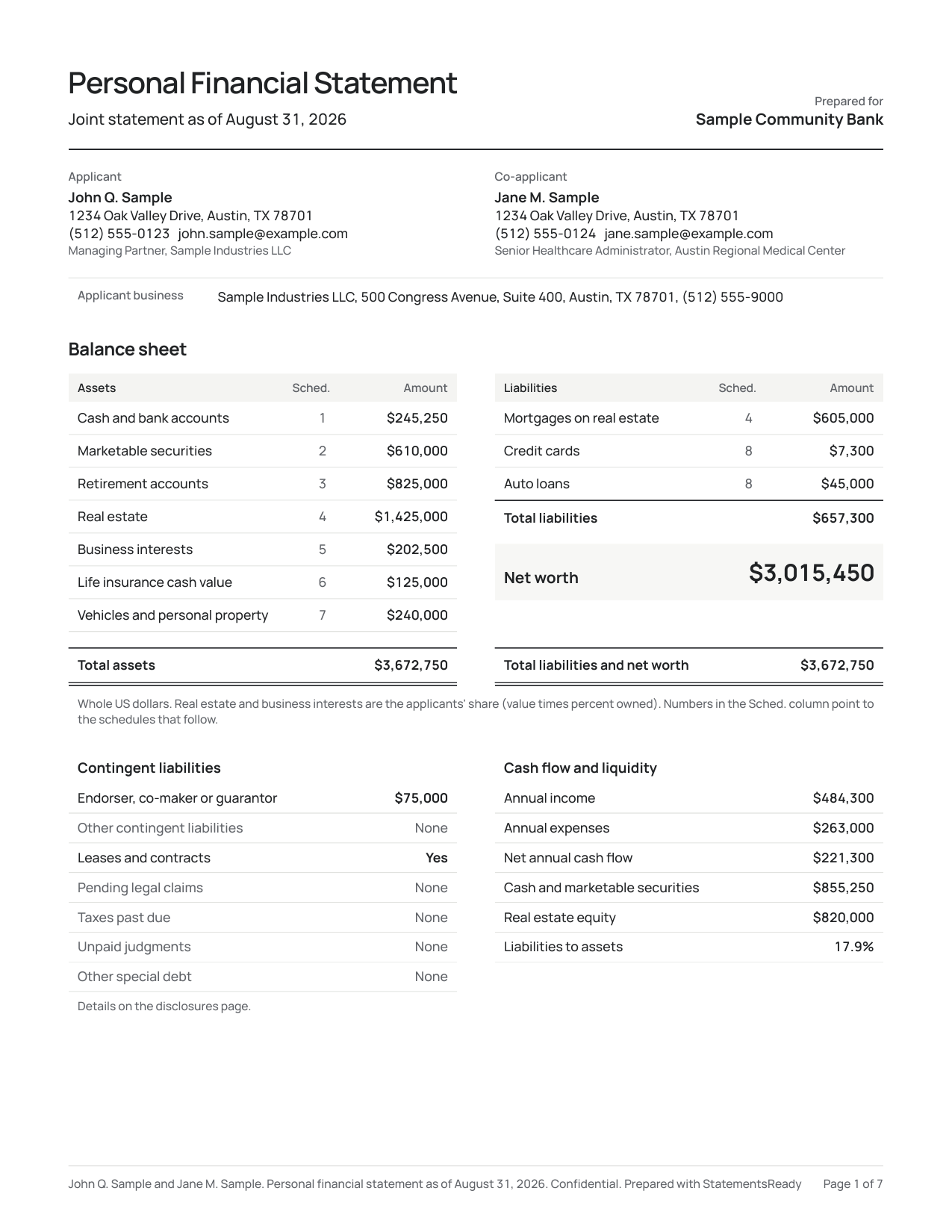
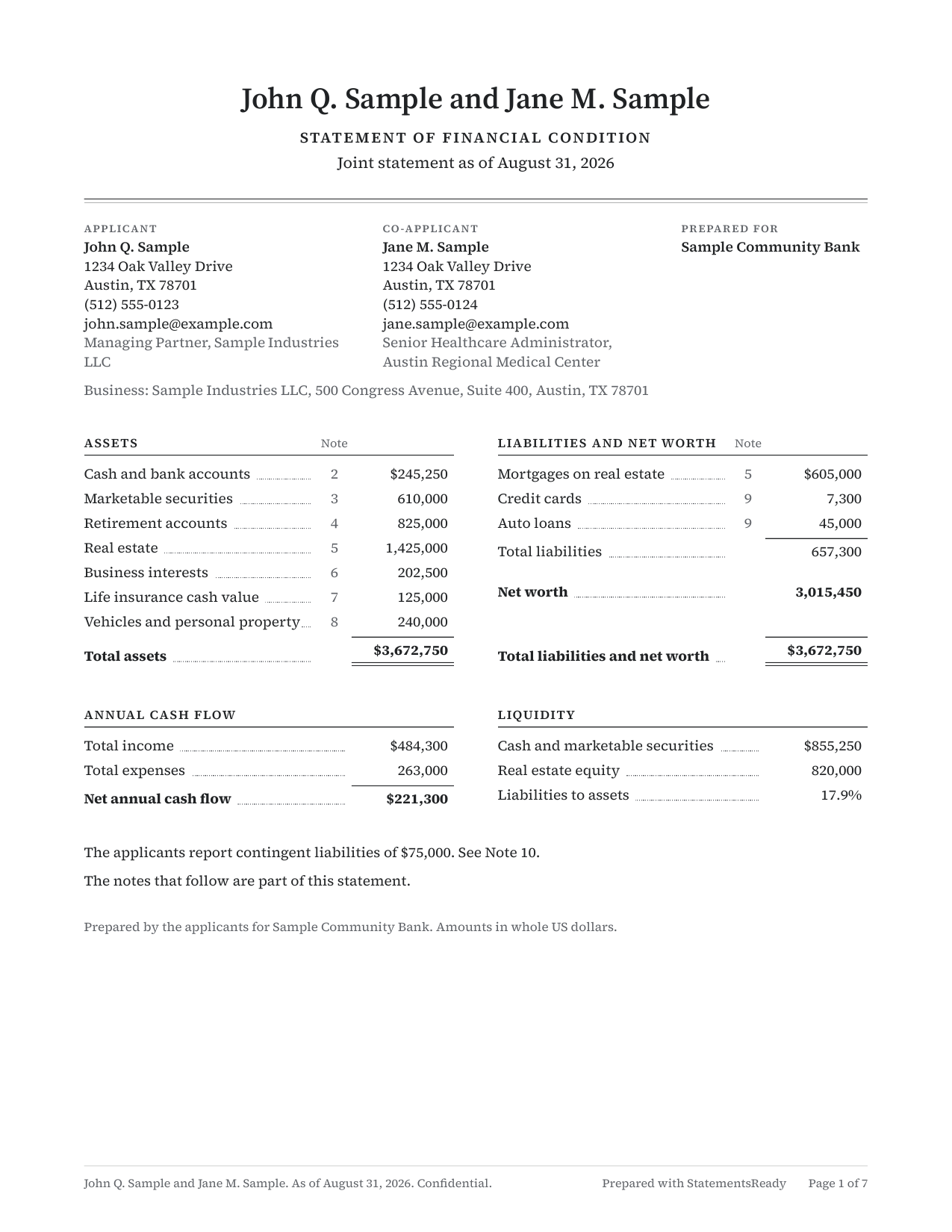
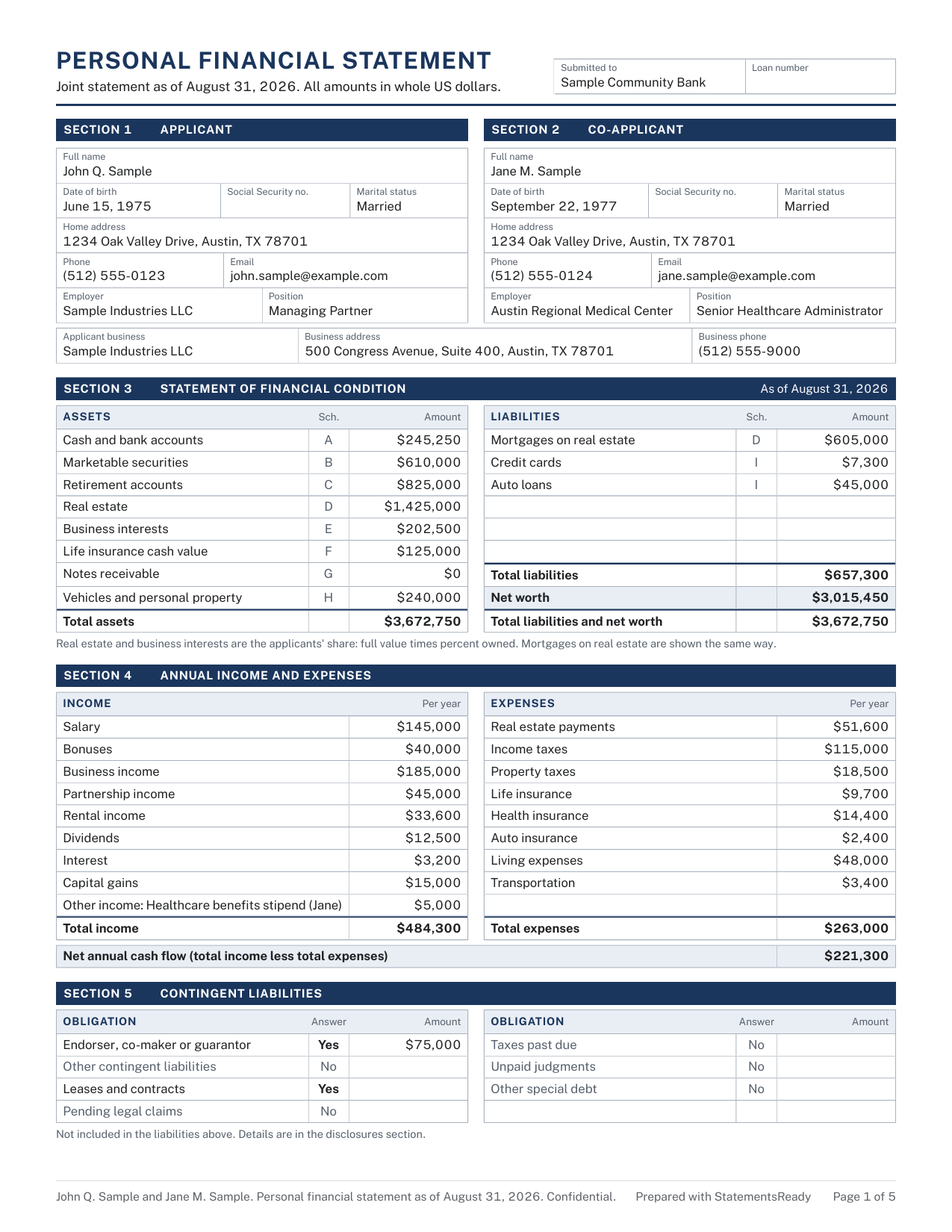
Page 1 of each layout, from a sample statement. Switch layouts and export again without retyping a line.
| Format | Use it when | Plans |
|---|---|---|
| Standard layout PDF | A lender asks for "a personal financial statement" with no form attached. | All plans |
| Professional layout PDF | You want it to read like a formal report, with notes an underwriter can follow. | All plans |
| Traditional layout PDF | The lender expects the classic bank-form look, with the full picture on page 1. | All plans |
| SBA Form 413 | SBA 7(a), 504, and disaster loans. Filled from your statement, schedules included. | Paid plans |
| Chase PFS form | Chase asks for its own personal financial statement form. | Paid plans |
| Word (.docx) | You or the lender want to edit the text. Matches the Standard PDF. | Paid plans |
| Excel (.xlsx) | Your banker wants to sort and filter the schedules. Every total is a live formula. | Paid plans |
Sign in the app, request the other signature, and send a link that expires when you say.
Draw it, type it, or upload an image. Save a default signature and reuse it on the next export.
Send your spouse or partner a signing link. They sign from their phone, with no account, and you get an email when it is done.
Every link has an expiry date you choose and a revoke button. The lender opens it in a browser.
Each link counts views and downloads and shows the last time it was opened, so you know it arrived.
Lenders ask again every 12 months. Your statement is ready when they do.
Roll last year's statement forward, refresh balances, review, export. Included on Pro and Pro Plus.
When a second lender wants a different format, copy the statement, adjust, and export. Nothing gets typed twice. Pro plans.
Give each statement a due date. The dashboard shows what is coming up, and a reminder email lands before it is due, on Pro plans.
Finalize a statement when it is sent, archive old ones, and see every export you have generated with its date and format.
Your statement is encrypted at rest with AES-256 and encrypted in transit.
Social Security and account numbers get a second, field-level layer of encryption.
Bank connections run through Plaid, read-only and balances only.
Your bank login never touches our servers, and you can disconnect an account at any time.
Two-factor authentication with an authenticator app or SMS, and share links you can revoke.
Only the people you send a link to can open your statement, for as long as you allow.
StatementsReady follows GDPR and CCPA requirements.
Export or delete your data at any time from your dashboard.
The same statement, three ways to get it done.
| Task | Spreadsheet or PDF form | CPA or bookkeeper | StatementsReady |
|---|---|---|---|
| Time, first year | An afternoon copying balances | Their schedule, plus your time gathering documents | About 8 minutes |
| Cost | Free, plus your time | Billed by the hour, every year | $79 once, or from $29 a month |
| Next year | Start over | Pay again | Roll forward and refresh |
| Balances | Typed by hand | Typed by hand | Synced through Plaid |
| SBA Form 413 | Fill the PDF yourself | Depends on the firm | Filled from your statement |
| Signatures | Print, sign, scan | Print, sign, scan | Draw, type, or upload |
| Sharing | Email attachment | Email attachment | Expiring link you can revoke |
Every feature, grouped the way the app is.
Compare plans
Still have a question?
Get in touch
Free for 7 days. No credit card.
Questions about your statement? I can help.
Connect your banks and export the PDF your lender needs. About 8 minutes the first time.
Start my free trial7 days free · No credit card required